
Track 2 · How SmilePass works
Plans, contracts & terms
What a member's contract contains and where to view it.
Every member is bound to a contract built from the plan they joined plus the global terms of use. Here's what it contains and where to find it.
Viewing a member's contract
Open the member's detail view and press View Plan Contract on their plan card. A modal titled Contract Viewer opens with two tabs in the left nav.
Terms of Use — User Agreement
The standard SmilePass user agreement (SmilePass Pty Ltd, incorporated in Australia). It is global — the same legal text for every plan and every clinic. A few clauses worth knowing, because patients sometimes ask:
- SmilePass does not provide medical, dental or health services, and is not insurance.
- SmilePass does not provide financial, legal or tax advice.
- The financial services are provided by specialised third parties; SmilePass is the software layer.
- It includes a Direct Debit Request (DDR) Service Agreement — the basis for the recurring direct debit.
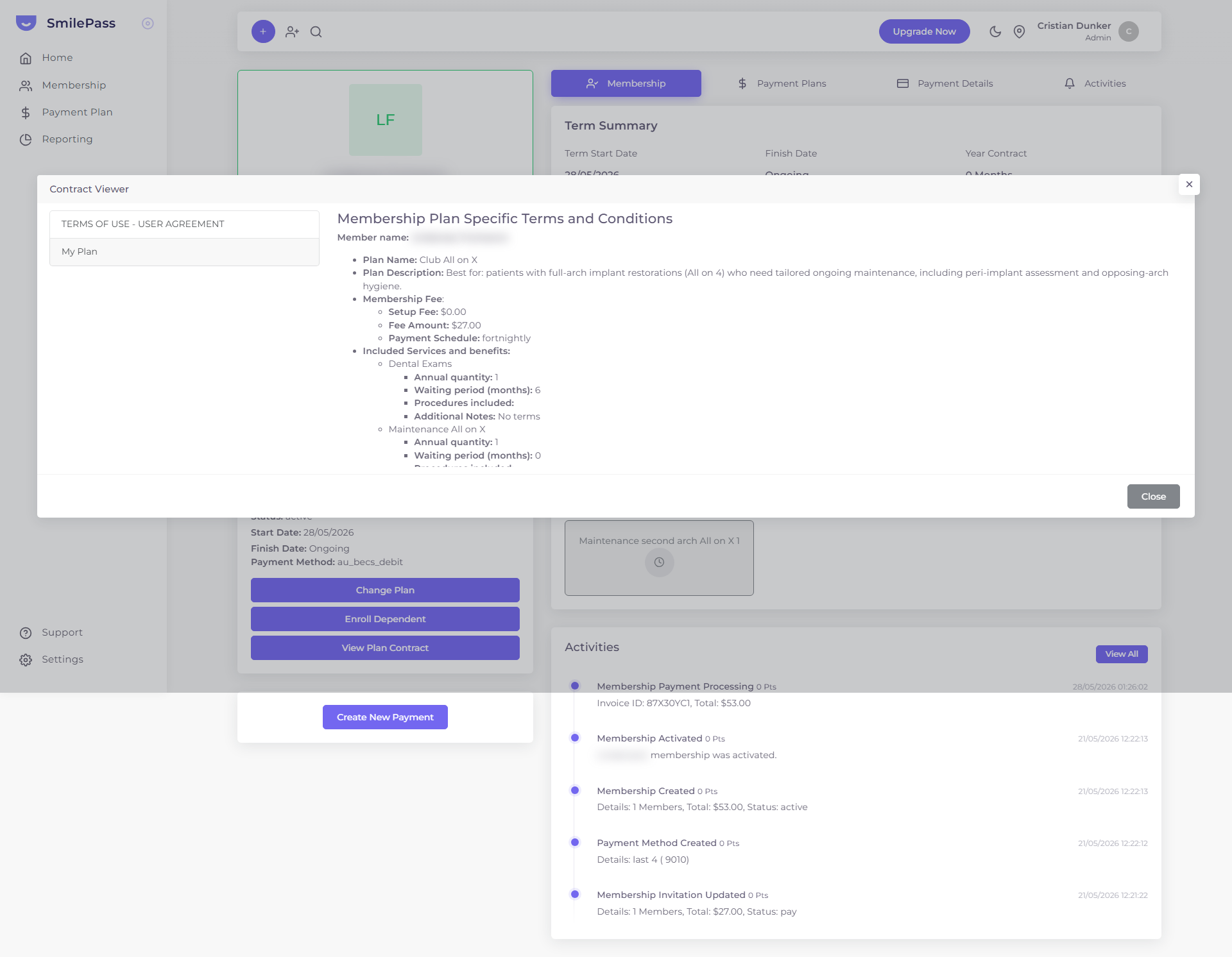 The My Plan tab reads the member's actual plan: fee, schedule, and each benefit's quantity and waiting period.
My Plan
Headed "Membership Plan Specific Terms and Conditions", assembled live from the member, their contract and the plan:
- Member name
- Plan name and description
- Membership fee — Setup Fee, Fee Amount, and Payment Schedule (weekly / fortnightly / monthly / annually)
- Included services and benefits — each with annual quantity, waiting period and any notes (see included services & procedures)
- Discounts on services and products — see service discounts explained
- Terms — lock-in period, age range, and any plan-specific terms
The contract reflects the plan as it is now
"My Plan" is composed live from the current plan record. If you edit the plan, the contract view changes for everyone on it — read editing a live plan before making changes.
Next step
Building membership plans →
Recurring subscriptions patients pay you directly for, in exchange for included services and discounts.