
Track 3 · Building your plans
Building membership plans
Recurring subscriptions patients pay you directly for, in exchange for included services and discounts.
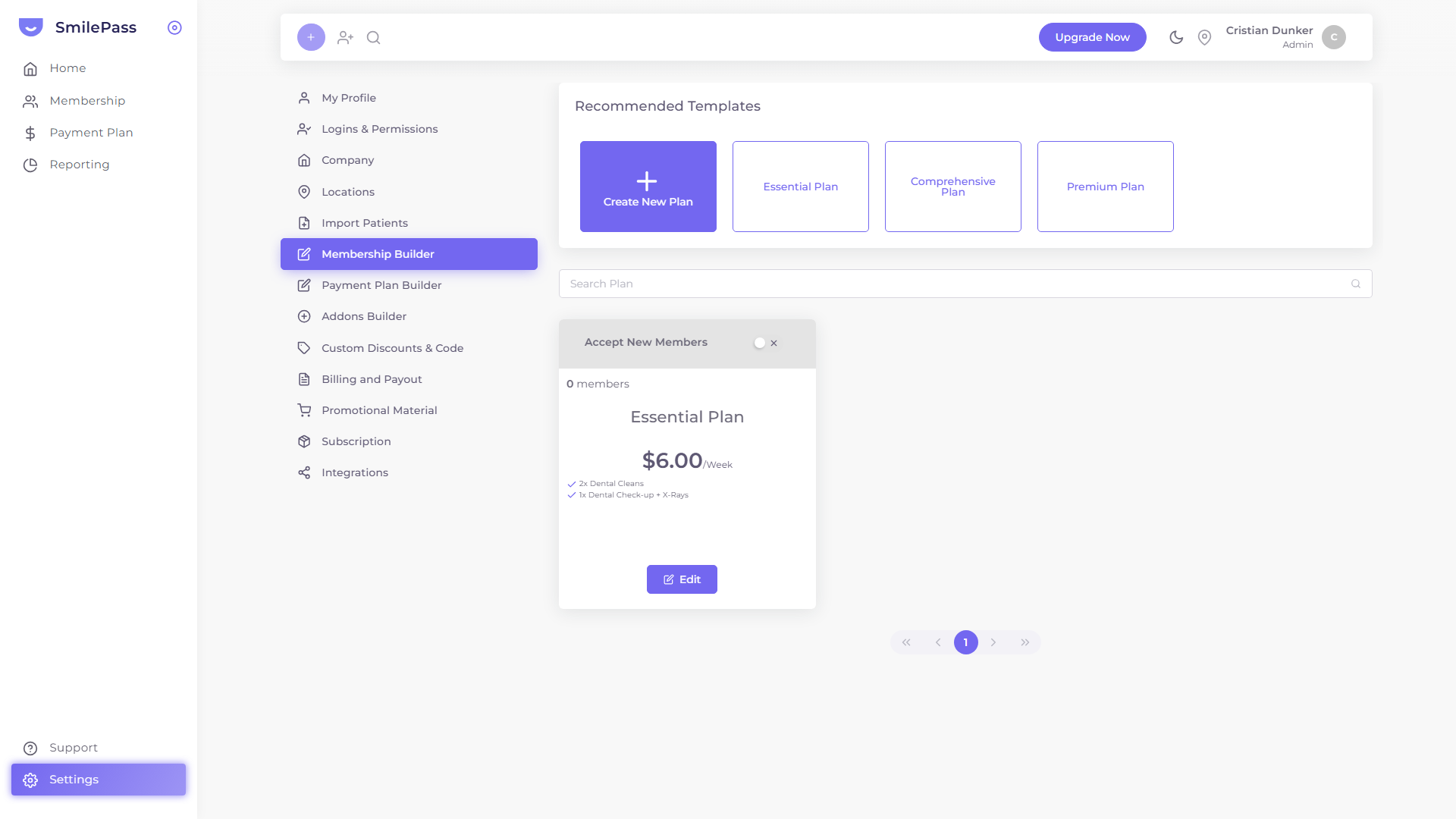
Step 1 of 3
Open the Membership Builder
In Settings → Membership Builder, click Create New Plan to start from scratch (or pick a ready-made template).
Click the highlighted area or Next to continue · use ← → keys
A membership plan is a recurring subscription patients pay your practice directly for, in exchange for a bundle of included services and discounts on additional treatment.
You build plans in Settings → Membership Builder. Start from Create New Plan for a blank form, or pick one of the three pre-built plan templates to seed values. Either way you get the same three-tab form.
Profile tab — the basics
Identifies and prices the plan:
- Name — what patients and staff see
- Locations — multi-select; which clinics offer this plan
- Description — up to 500 characters; shown to patients during sign-up
- Setup Fee — checkbox + amount; charged once when a new member joins
- Price and Frequency — toggle on any combination of Weekly / Fortnightly / Monthly / Annually and set a price for each. Patients pick the frequency that suits them at sign-up
- Start Date — when the plan becomes available for sign-ups
- End Date — optional; useful for limited-time promotional plans
Benefits tab — what members actually get
Two columns:
Included Services and Benefits (left)
A simple table of service + quantity per year included for free. Press the + button to add a row. Examples:
- Dental Exams · 2
- Dental Cleans · 2
- X-Rays · 1
- Emergency Exams · 1
Discounts on services and Products (right)
Set the percentage discount members get on additional treatment, broken into ten service categories:
- Diagnostic Services
- Preventive, Prophylactic and Bleaching Services
- Periodontics
- Oral Surgery
- Endodontics
- Restorative Services
- Prosthodontics
- Orthodontics
- General Services
- Miscellaneous
Use the Apply to all shortcut to set the same percentage everywhere, then tweak individual categories. Toggle the INCLUDE column to control whether each category is even part of the discount scheme.
Terms tab — the contract
- Membership lock-in period (Months) — minimum commitment, default 12
- Age from / Age To — restrict the plan to a specific age band (e.g. 8–65), or click No age limits to remove the range
- Specific Terms and Conditions — free text up to 500 characters, surfaced to the patient before they sign up
Save and accept members
Press Save. The plan is now visible in the Membership Builder list. Each saved plan appears as a card showing:
- The headline price ("$X / Week")
- The Accept New Members toggle (turn off to pause sign-ups without deleting the plan)
- The current member count
The plan can immediately be selected when adding a new member.
Next step
Plan templates — three worked examples →
Essential, Comprehensive and Premium — three pre-built starting points.