
Track 3 · Building your plans
Included services & procedures
The fields behind every benefit you add to a plan.
Step 1 of 9
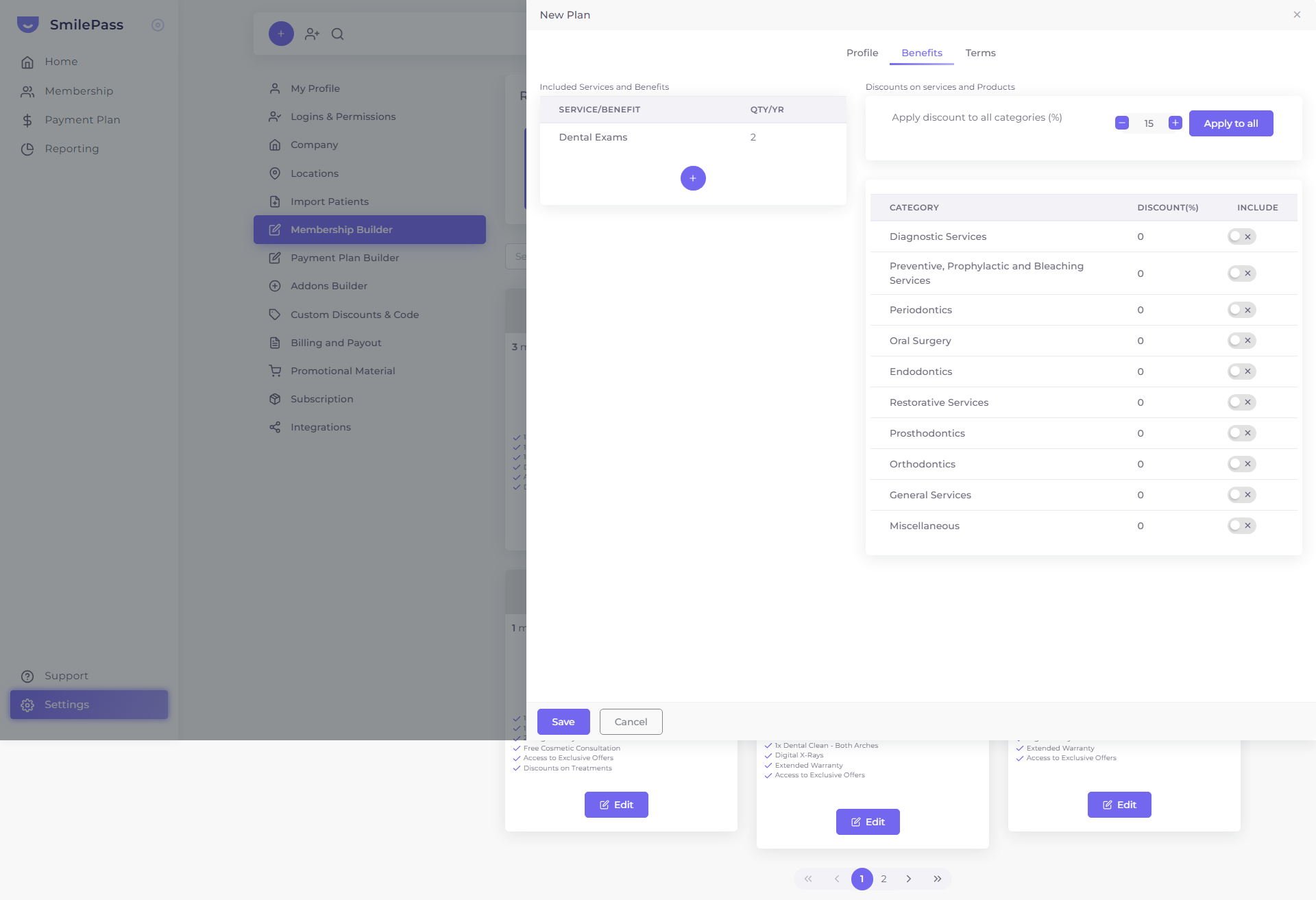
The Included Services and Benefits table
Inside a plan, the Benefits tab lists everything the membership covers. Each row is one benefit — a service or benefit name and how many are included per year (QTY/YR). This is what the patient sees as included in their plan.
Click the highlighted area or Next to continue · use ← → keys
When you build a plan, the Benefits tab is where you list what the membership actually gives the patient. The Included Services and Benefits table holds one row per benefit — each showing its name and annual quantity. Click the round + to add a row, then click the [Click to edit] row to open the Edit Included Treatments editor, where every benefit shares the same set of fields.
The fields of a benefit
- Title — free text, and what the patient sees on their plan. Examples: "Comprehensive Oral Examination", "Dental Exam & Clean", "Free Cosmetic Consultations".
- Annual quantity — how many times per year it's included, set with the − / + stepper. Press the Unlimited button for benefits with no cap.
- Waiting period (months) — months after the contract start date before the benefit becomes available.
0= no wait. - Procedures — link the benefit to specific procedure codes from the SmilePass procedures list (matched by code + name). This is what lets SmilePass track usage against the plan.
- Specific Terms and Conditions — free text (up to 500 characters) for any conditions on this benefit. It defaults to "No term." — leave it unless the benefit needs its own terms.
Tips
- Be specific in the title — it's what the patient sees on their plan.
- Use a waiting period to protect high-value benefits from sign-up-then-claim behaviour.
- "Unlimited" (
0) works well for low-cost, high-frequency benefits (exams, cleans) that drive perceived value.
This pairs with the discount tiers — see service discounts explained. You can see these fields rendered on a real member in the My Plan tab of the Contract Viewer — each benefit lists its Annual quantity, Waiting period, Procedures and any specific terms.
Next step
Service discounts explained →
The ten fixed discount categories and how to set them.