
Track 5 · Payments & billing
Invoices & statuses
The invoice lifecycle and what each status means.
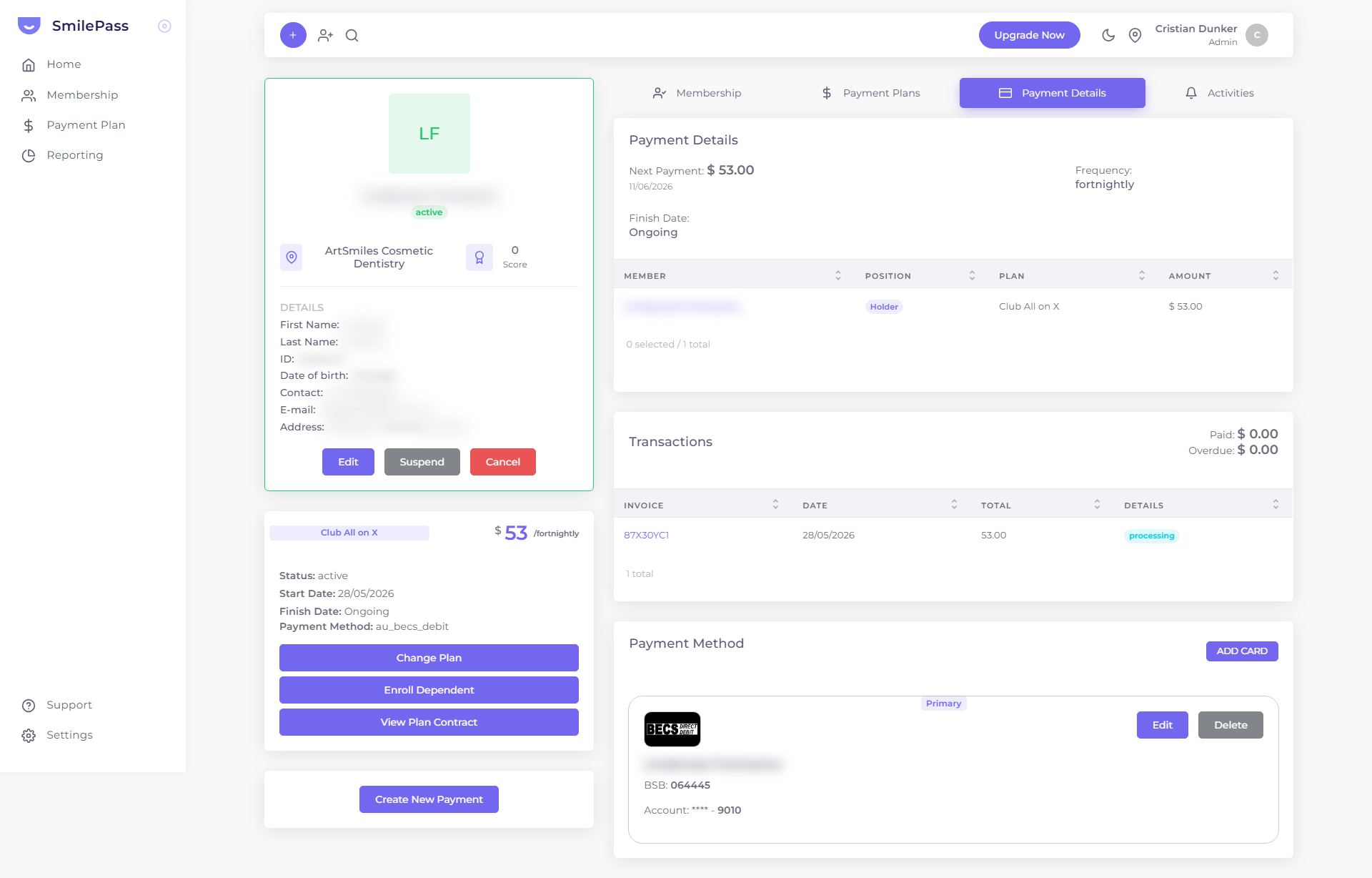
Step 1 of 7
Find invoices in Transactions
Every charge creates an invoice. On a member's Payment Details tab, the Transactions table lists each one — Invoice ID · Date · Total · status. Click an Invoice ID to open the full tax invoice.
Click the highlighted area or Next to continue · use ← → keys
Every charge SmilePass attempts creates an invoice you can track.
Where to find invoices
On a member's Payment Details tab, the Transactions table lists each invoice (Invoice ID · Date · Total · status). Click an invoice ID to open the full invoice detail — a proper tax invoice showing the clinic's name, address and ABN, the Bill To patient, the plan line item (with the member's Position, e.g. Principal/Holder), then Subtotal · Join Fee · SmilePass Fee · Discount Dependents · Discount Referrals · Total · Total Due, plus a Download button.
Invoice / payment statuses
The statuses you'll see in the lists:
- processing — created, the charge is in progress.
- active — an instalment plan that's running on schedule.
- completed — successfully charged / fully paid.
- cancelled — voided, won't be charged.
- expired — the payment window lapsed without completion.
- overdue — (on memberships) a due charge wasn't paid in time — see overdue & failed payments.
Next step
Overdue & failed payments →
Retries, notifications and what happens when a charge fails.