
Track 5 · Payments & billing
The recurring billing cycle
How automatic charges, cycles and renewals work.
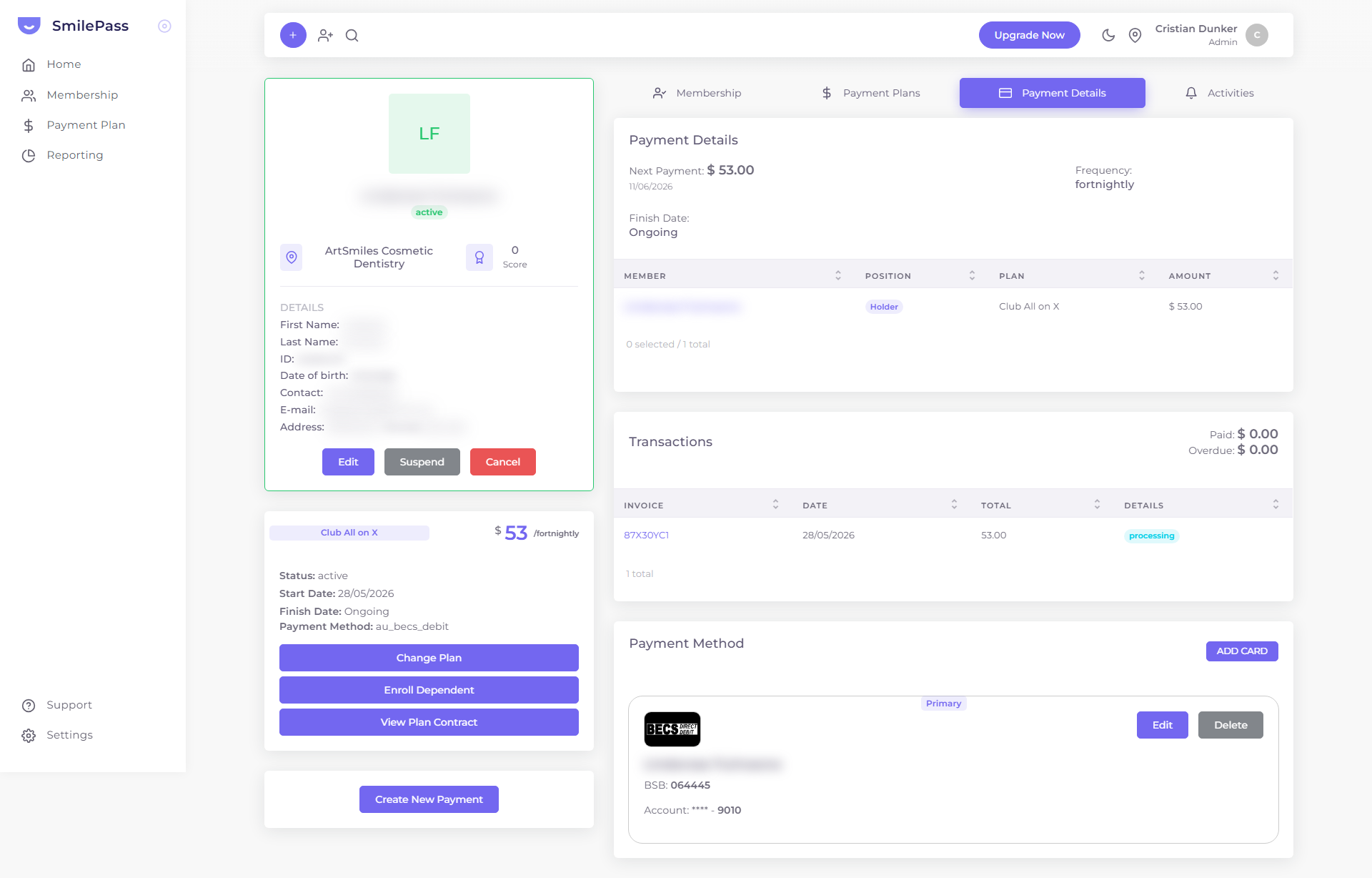 The Payment Details tab on a member shows exactly when the next charge lands, how often, and the running Paid / Overdue totals.
Once a member has an active contract, SmilePass charges their saved payment method automatically on the plan's cycle. You don't run charges by hand.
Cycles
A plan's fee is charged on its payment schedule: weekly, fortnightly, monthly, or annually. The first charge happens at signup; subsequent charges follow the cycle from the contract start date. The payment method is usually a BECS direct debit (au_becs_debit) set up under the Direct Debit Request agreement the patient accepts at signup.
Where to see a member's schedule
Open the member's detail view → Payment Details tab. It shows the Next Payment (amount + date), the Frequency, the Finish Date (e.g. "Ongoing" for a membership), and a Transactions list with running Paid and Overdue totals.
What runs automatically
- Recurring charges on each member's cycle.
- Renewals — the contract's next billing date advances each cycle.
- Invoice emails with a secure single-use link to view or pay.
- Reminders / overdue notices when a payment is late — see overdue & failed payments.
Payment plans vs memberships
Memberships bill open-endedly on a cycle. Payment plans instead bill a fixed treatment cost across a set number of instalments — see payment plans and taking payments.
Next step
Invoices & statuses →
The invoice lifecycle and what each status means.