Launching a membership program raises one practical question above all: how should you structure the plans? This article is part of our series on membership segmentation — each guide takes a different way to organise your plans and shows you how to set it up inside SmilePass, step by step. Here we look at rewarding loyalty: better value the longer a member stays, which lowers churn and rewards the patients who cost the least to keep. For the full menu of approaches, see our main guide, Example Dental Membership Plans.
What you are building
A set of tenure-based tiers — Year 1, Year 2 and Year 3+ — where the discount, price lock and perks improve the longer someone stays. In SmilePass this is a manual model: you build each tier as its own membership and move members up by hand as they qualify. There is no automatic time-based upgrade, which keeps you in control of who qualifies and when.
First, decide your membership type. Loyalty rewards sit on top of whatever structure you have chosen — for example risk-based tiers or a good-better-best ladder. Pick that first; the loyalty tier, coupon or discount is then layered on as the member stays longer.
Year 1 | Year 2 | Year 3+ | |
|---|---|---|---|
Treatment discount | up to 5%* | up to 8%* | up to 10%* |
Price | Standard | Locked (no increase) | Locked + loyalty rate |
Perks | — | — | Priority booking + annual whitening top-up |
Numbers are examples — set your own discounts and perks.
Who is each tier for?
Year 1 — new members, on standard inclusions and your base discount.
Year 2 — members who have stayed a full year; reward them with a higher discount and a locked price.
Year 3+ — your most loyal members; the best discount plus perks like priority booking and an annual whitening top-up.
Before you start
This is a manual process today, so decide your qualifying rule up front — for example continuous membership with no missed payments — and a regular moment to review and move members up, with renewal being the natural one. Keep the perks small but visible; they cost little and make renewal the obvious choice. Set up your two price lists, standard and member, so the discount is simply the gap between them at a percentage you choose.
Step by step in SmilePass
You can reward loyalty two ways in SmilePass, and both are manual — which keeps you in control of who qualifies and when.
Path A: build tenure tiers and move members up
Build each loyalty tier as a membership. In Settings then Membership Builder, create a plan for Year 1, Year 2 and Year 3+, improving the discount, price lock and perks as you go up.
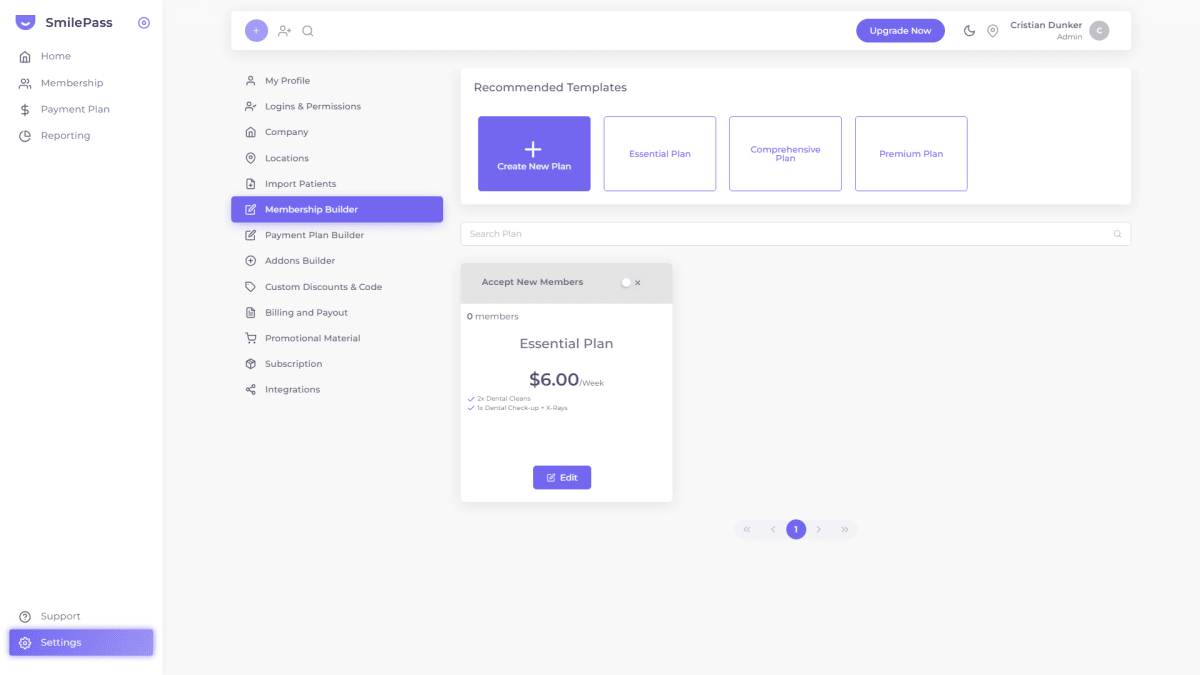
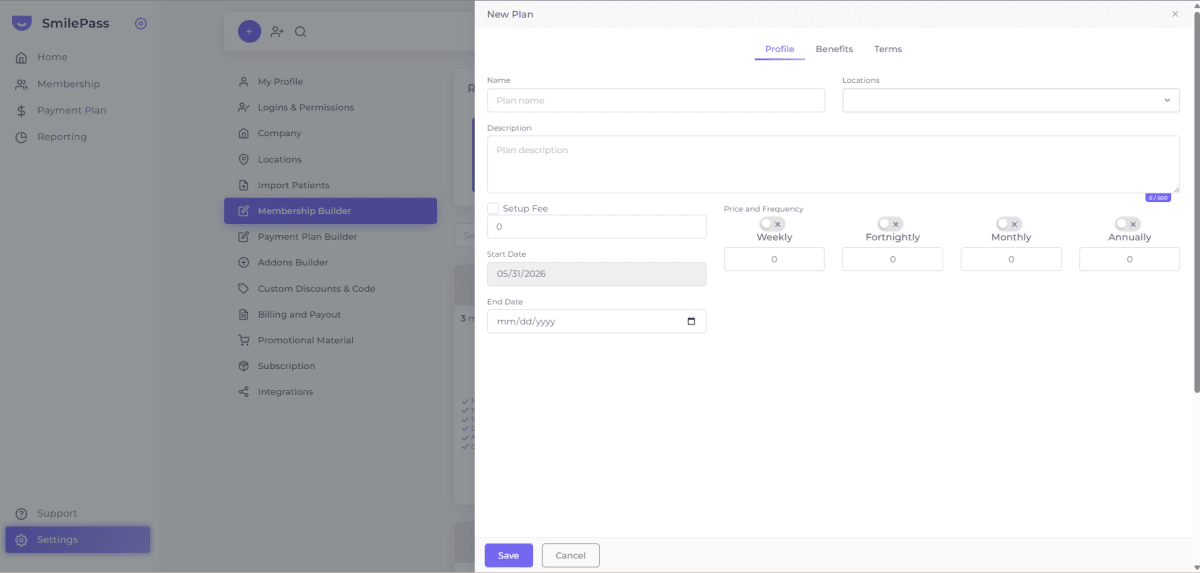
Set inclusions and pricing. Use the Profile and Benefits tabs to set each tier's price and what it includes.
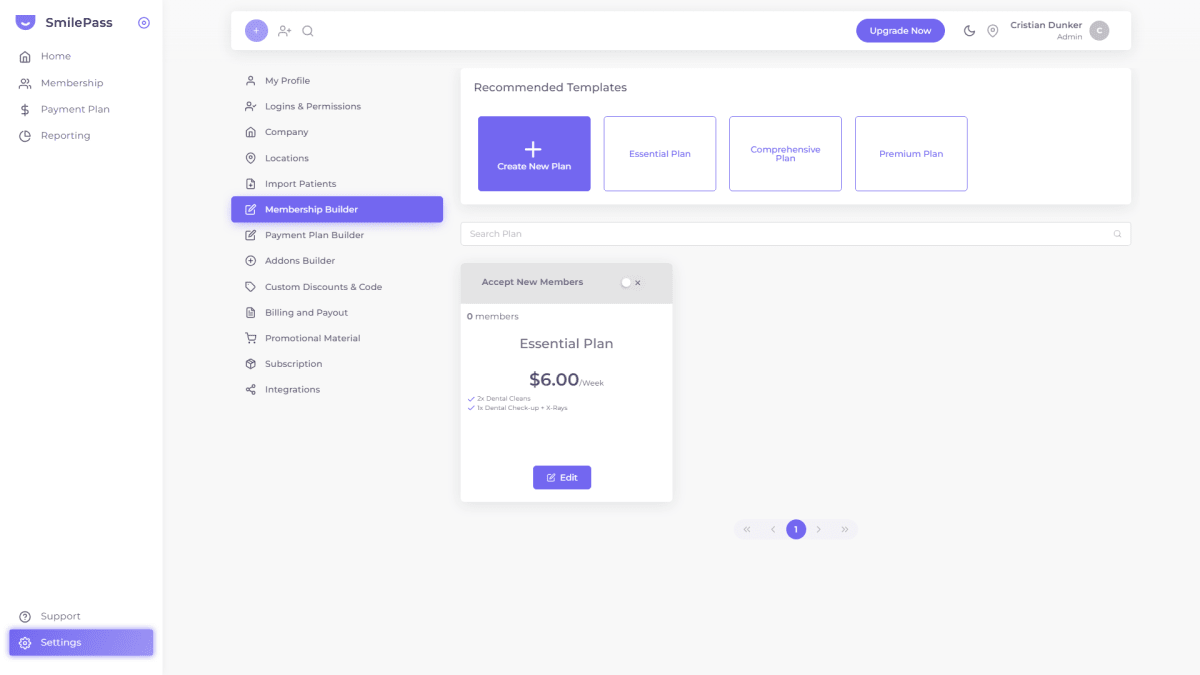
Keep entry open, higher tiers closed to sign-up. Use "Accept New Members" so new patients join at Year 1; the higher tiers are reached by moving up, not by signing up directly.
Decide your qualifying rule. For example, continuous membership with no missed payments.
Move members up by hand. When a member qualifies, open the Patient list, find them, and use their Actions menu to change their plan to the next tier.
Diarise the reviews. There is no automatic upgrade, so check at renewal and move qualifying members up.
Path B: set up a loyalty coupon
Create the membership first. Build your base membership in Settings then Membership Builder and enrol the member on it — the coupon discounts an existing membership, it does not replace one.
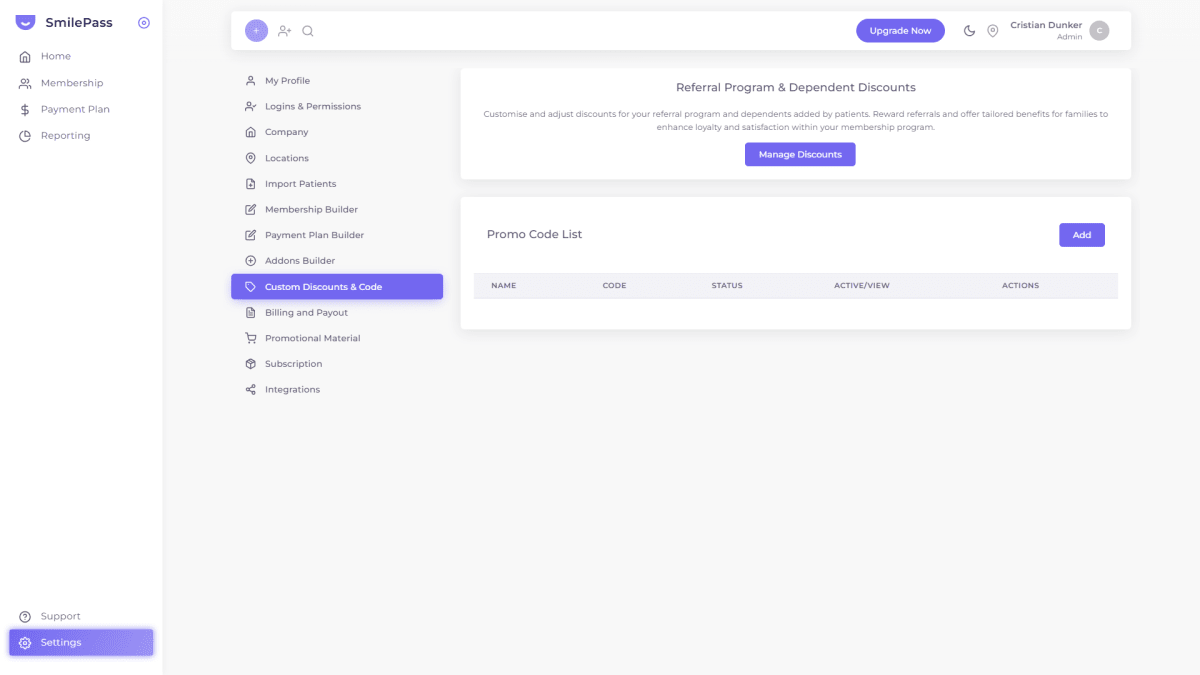
Open the coupon list. In Settings then Custom Discounts & Code, open the Promo Code list and click Add.
Create the loyalty coupon. Give it a name and code, set the discount percentage, and add any terms you want.
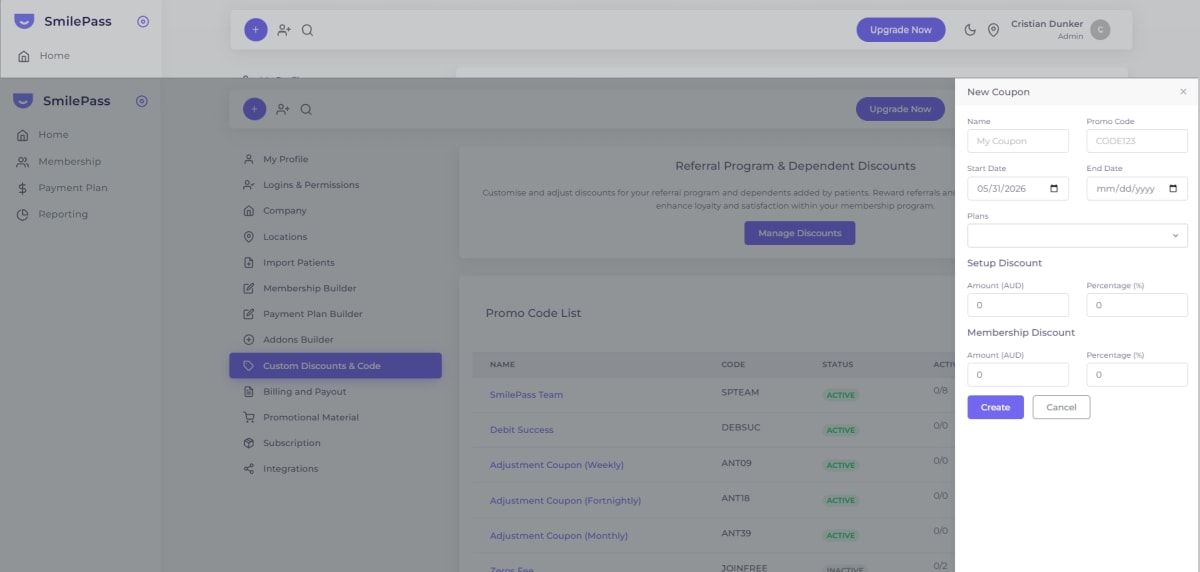
Save the coupon.
Decide the milestone. For example, twelve months of continuous membership.
Apply it by hand. When a member reaches the milestone, apply the coupon to their membership so the discount takes effect.
Diarise the reviews. As with the tier path, there is no automatic trigger — check at renewal and apply the coupon to qualifying members.
Tips and common mistakes
Remember it is manual. Set a recurring reminder, at renewal, to move qualifying members up.
Make each step worth it. A price lock, priority booking or a whitening top-up costs little but changes the renewal decision.
Apply the rule consistently. So the loyalty tier feels earned, not arbitrary.
Keep it to three levels. More tenure tiers add admin without much gain.
Frequently asked questions
Does SmilePass upgrade members automatically over time?
No. Loyalty tiers are moved manually — you build each tier as a membership and move qualifying members up from the Patient list, which keeps you in control of who qualifies and when.
How do I move a member to a higher loyalty tier?
Open the Patient list, find the member, and use their Actions menu to change their plan to the higher tier.
Written by Cristian Dunker, BDS, dentist (oral rehabilitation), with MBAs in Marketing (Sociesc-Brazil), Project Management (FGV-Brazil) and Finance (Bond - QLD).