Launching a membership program raises one practical question above all: how should you structure the plans? This article is part of our series on membership segmentation — each guide takes a different way to organise your plans and shows you how to set it up inside SmilePass, step by step. Here we look at segmenting by treatment or care pathway: building a plan around the journey a patient is already on. For the full menu of approaches, see our main guide, Example Dental Membership Plans.
What you are building
A plan for each common care pathway, so high-value, maintenance-heavy patients have a home after their active treatment ends.
Preventive $9/wk | Perio $13/wk | Ortho retention $7/wk | Cosmetic $12/wk | Rehab / Implant $13.50/wk | |
|---|---|---|---|---|---|
Best for | General upkeep | Active/maintenance gum disease | Post-braces/aligners | Aesthetics-focused | Full-arch / implants |
Exam (012) | 2/yr | 2/yr | 2/yr | 2/yr | 2/yr + implant review |
Scale & clean (114) | 2/yr | 3–4/yr perio maintenance | 2/yr | 2/yr | 2/yr, incl. opposing arch |
OHI (141) | 1/yr | 2/yr | 1/yr | 1/yr | 1/yr |
Fluoride (121) | 1/yr | 1/yr | 1/yr | — | 1/yr |
X-rays — bitewing (022), OPG (037) | Bitewings | Bitewings | Bitewings | Bitewings | OPG yearly |
Special inclusion | — | Perio charting | Retainer checks + replacement discount | Annual whitening top-up + free cosmetic consult (013) | Implant maintenance + peri-implant check |
Treatment discount | up to 10%* | up to 10%* | up to 10%* | up to 10%* | up to 10%* |
Numbers are examples — set your own inclusions and pricing.
Who is each plan for?
Preventive — general patients who simply want their routine check-ups and cleans covered.
Perio — patients with active or maintenance-stage gum disease who need more frequent cleans and charting.
Ortho retention — patients who have finished braces or aligners and need their retention checked and protected.
Cosmetic — aesthetics-focused patients who value an annual whitening top-up and cosmetic consults.
Rehab / Implant — full-arch or implant patients who need ongoing maintenance to protect the work they have invested in.
Before you start
Decide the inclusions each pathway needs, then set up your two price lists — your standard (private) fees and a member fee schedule. The treatment discount is simply the gap between the two, and you choose the percentage. These plans work best as the maintenance wrapper that begins the moment active treatment ends.
Step by step in SmilePass
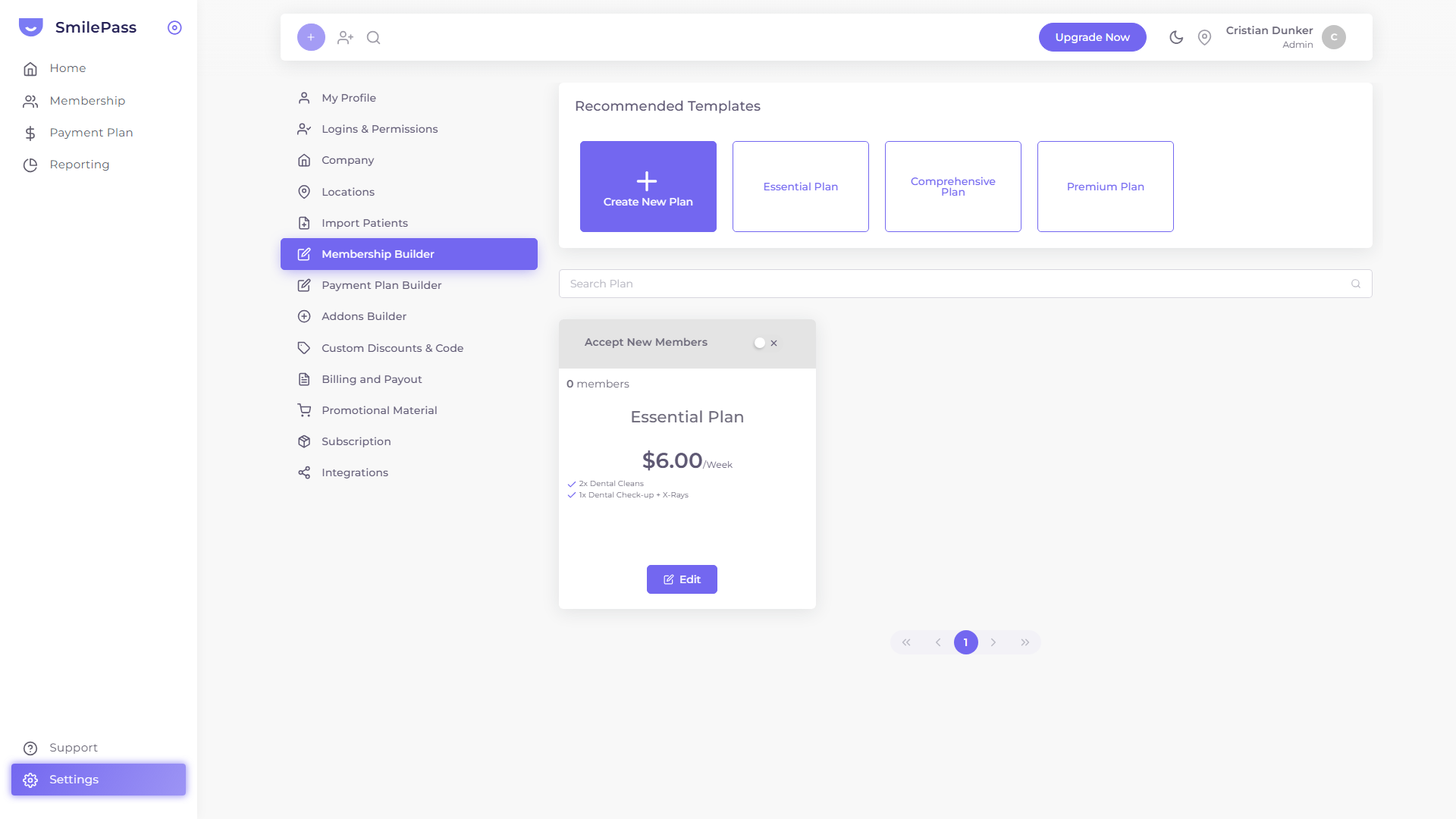
Open the builder. Go to Settings then Membership Builder.
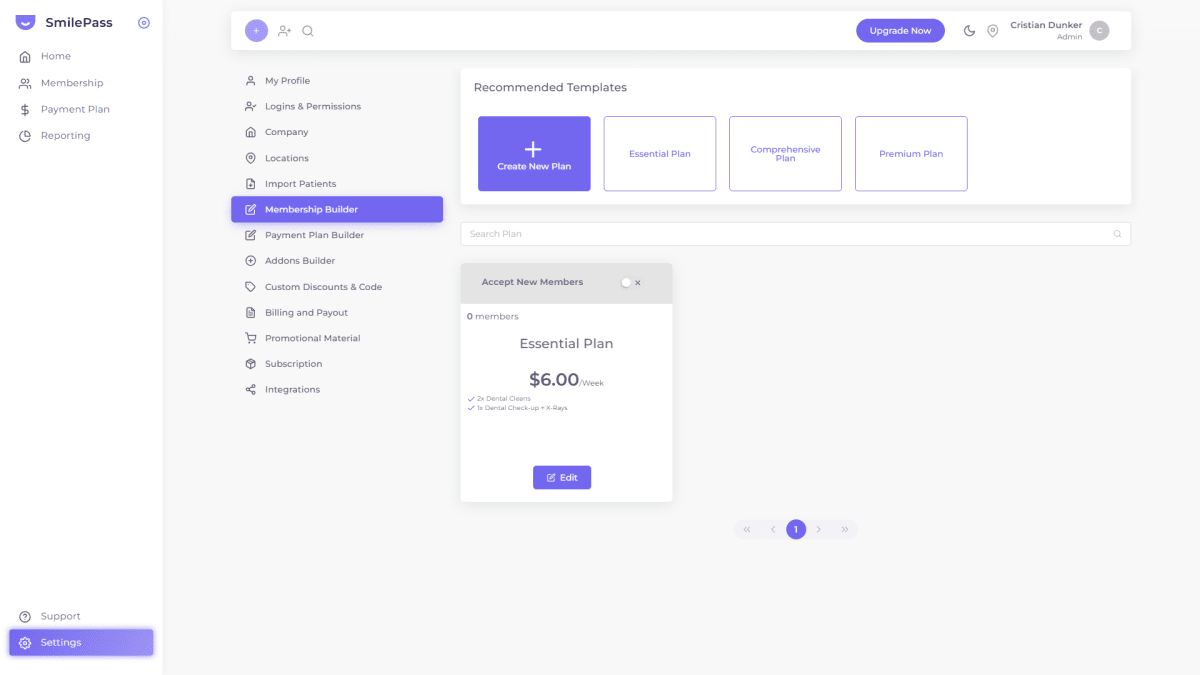
Create the first pathway plan. Click Create New Plan, or start from a template and rename it.
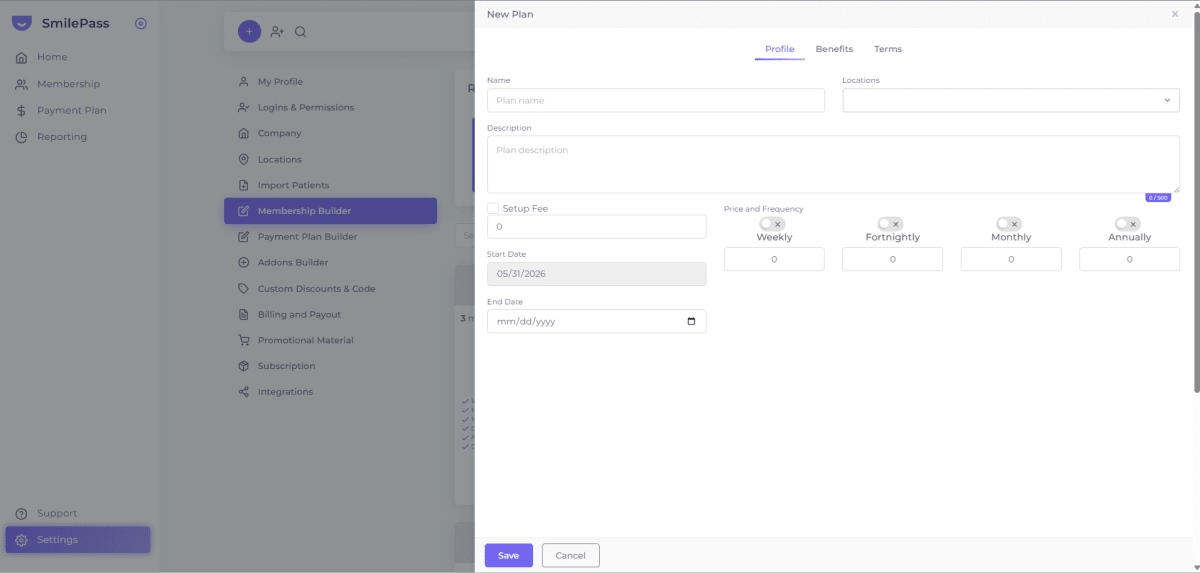
Fill in the Profile tab. Name it for the pathway (for example, Perio Maintenance), choose the Location, add a short description, and set the price under the right frequency.
Add inclusions on the Benefits tab. Enter each inclusion as its own line — for example "3–4x perio-maintenance cleans", "Periodontal charting", or "Annual whitening top-up".
Set conditions on the Terms tab. Note the waiting period and that the member discount applies through your member price list.
Save, then repeat for each pathway you offer.
Open each plan for sign-ups. Switch "Accept New Members" on for the plans you want bookable.
Enrol patients onto the matching pathway. When you add a member (Membership then Add New Member), pick the plan that fits the treatment they have just had — and move them later, via the Patient list Actions menu, as their needs change.
Tips and common mistakes
Only build pathways you see often. Do not create a plan for every procedure — a handful of pathways covers most patients.
Pitch it as treatment finishes. Framing the plan as protecting the work the patient just paid for makes the value obvious.
Keep card wording plain. ADA item numbers are for your fee schedule, not the public plan card.
Use Addons for one-off extras rather than bloating the core plan.
Frequently asked questions
Where do I create these plans in SmilePass?
Settings then Membership Builder — build one plan per care pathway.
How does the treatment discount actually work?
Through two price lists — standard and member. Members are billed from the member list; the difference is the discount, and you set the percentage.
When should I offer a pathway plan to a patient?
As their active treatment finishes — frame it as protecting the result. You can move patients between plans from the Patient list as their needs change.
Written by Cristian Dunker, BDS, dentist (oral rehabilitation), with MBAs in Marketing (Sociesc-Brazil), Project Management (FGV-Brazil) and Finance (Bond - QLD).